I like to keep my Windows `11 computers fully patched. The 0x800f0922 error with Windows 11’s 2025-12 and 2026-01 Security Updates blocked me. That error caused the update to be rolled back. Windows Update kept presenting this update, which caused repetitive, lengthy reboot cycles that only ended with failure.
The fix is easy.
Mitigating root cause
It turns out root cause was discernible by searching C:\Windows\Logs\CBS\CBS.log for the first error. This log apparently contains errors encountered during updates.
I searched on , error (comma, then space, then error) to find errors. It’s likely best to focus on the first error as that should be what triggers a rollback. In my case, the first error was vague, but I found the root cause on the second error, which appeared just a few lines later.
The error included HRESULT_FROM_WIN32(ERROR_DISK_FULL). Trivial searching landed me on a theory that my boot partition was full.
Windows users are used to the C drive being the main drive you see. This C drive is actually a partition of your drive. Typically, a partition a portion of a drive that is accessed using a drive letter.
Customarily, the C partition includes nearly all your drive. If you have a 500 GB hard drive, then your C partition should be close to 500 GB.
There are also small, hidden partitions. Without special tricks, you can’t see them. In my case, I have a 0.1 GB boot partition. This boot partition is accessed by your computer when you first turn it on. The initial loading screens are really your computer running software in this tiny boot partition, until it passes control on to Windows on the C drive.
My boot partition was nearly full. It had so little free space, the updater couldn’t add some files to it. Hence the disk-full error!
The easy fix
Fixing this is easy, described in a Microsoft support article, where you simply delete some files from the boot partition that are unlikely to ever be used. While the article only contained Windows 10 steps, they worked for Windows 11. The steps:
Open Command Prompt in administrator mode. (In your taskbar’s search box, search for command prompt. When the Command Prompt icon displays, right-click on it, select Run as administrator, and hit Yes on the confirmation dialog.)
In the Command Prompt window, type these commands (if you get an error after any command, do not continue to the next step until you can use that command without an error):
mountvol y: /s
y:
cd EFI\Microsoft\Boot\Fonts
del *.ttf
mountvol y: /d
Now your boot partition has enough space. Go back to Windows Update and attempt the security update again. It should work.
I know, it’s silly. It’s a gambit to get my Facebook friends to accost me for a $2 bill. (Only ten $2 bills have been distributed in the past 26 months.)
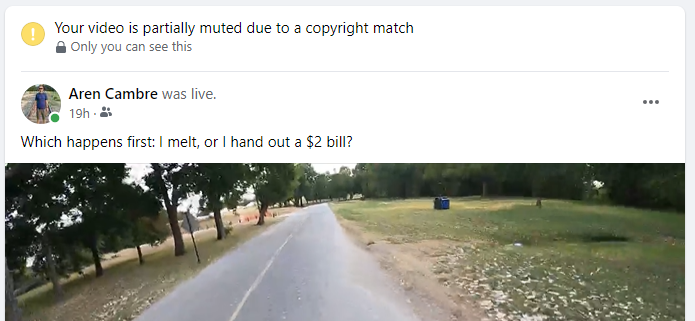
As self-created recordings of my own bike rides, these videos are my original creations. Despite that, since late June, every video ends up with a copyright notice:
Partial still of my video with a bogus copyright notice on top.
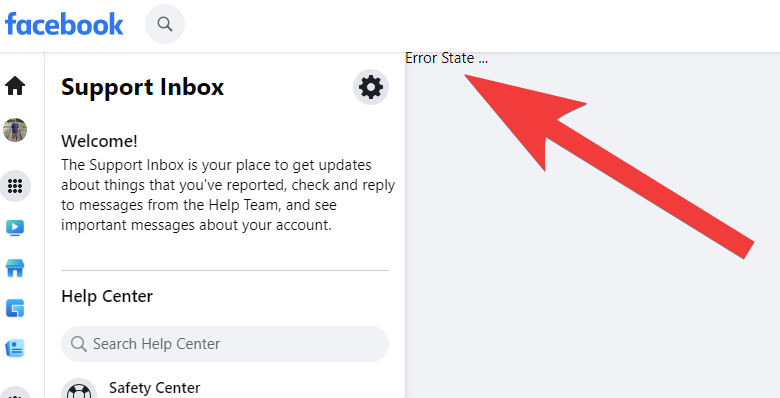
When I click on the notice, I get an error:
When I try to get more info on these bogus copyright notices, I often get an error. Did Facebook design this into the system to protect thieves?
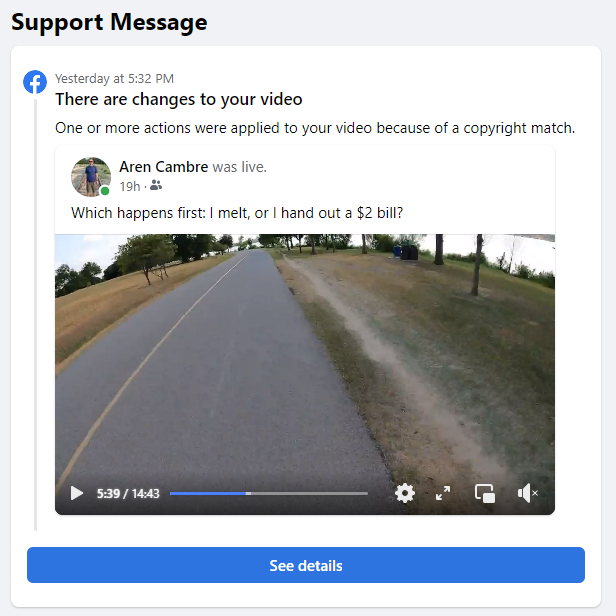
Refreshing that page, I finally get useful info:
Facebook says a thief’s property matches part of my video.
Huh, so Facebook alleges that a thief’s fake property matches part of my video. Let’s click See details and find out more:
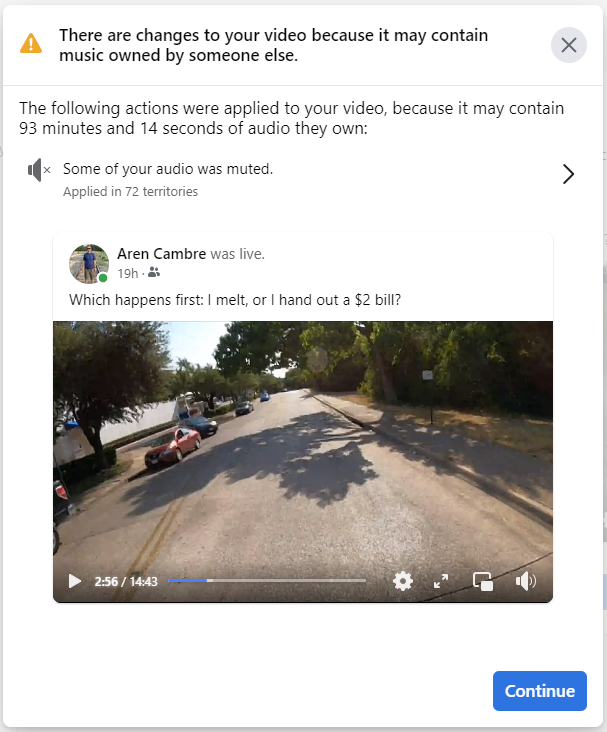
Faecbook says a recording of my bike ride has someone else’s “music”? 🤣🤣🤣
Facebook says the 14.72 minute recording of my bike ride has 93.25 minutes of someone else’s audio? 🤣 So many problems with this.
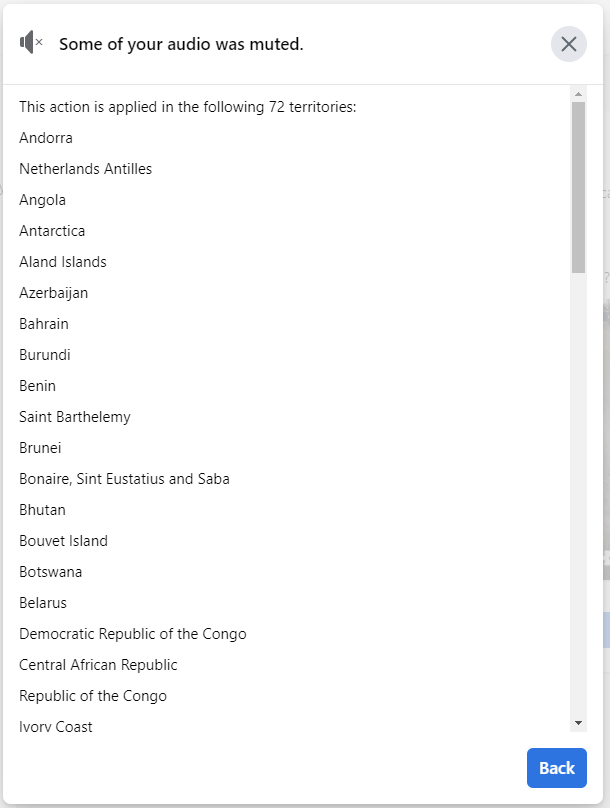
What are these 72 territories where the claim is asserted?
72 countries where my audio is muted, due to someone using Facebook to steal my intellectual property.
Heres’ the 72 countries where Facebook allows a thief to steal my intellectual-property rights:
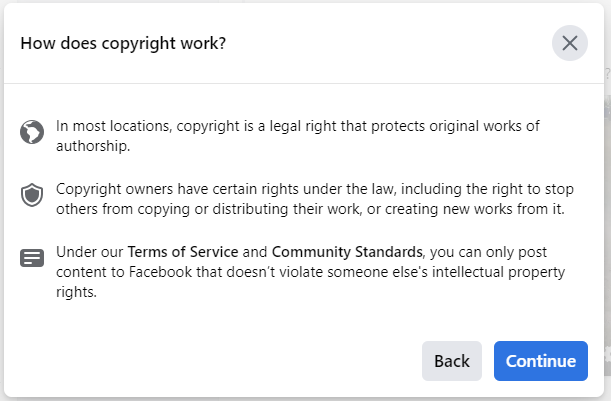
If I hit Continue (see two screenshots above), I pass through some perfunctory dialogs:
Perfunctory dialog explaining the basics of copyright.
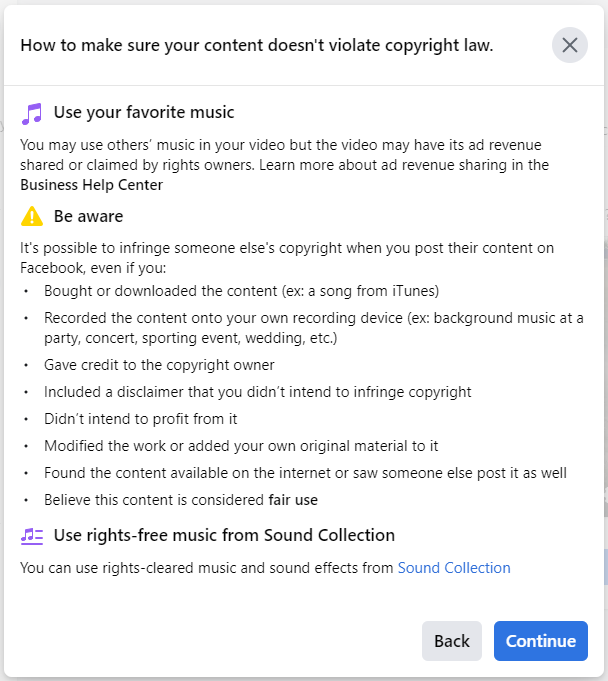
Continuing, copyright tips that are inapplicable to someone who, like me, puts his original creation on Facebook:
Another perfunctory dialog giving irrelevant information to people who own the rights to their own media.
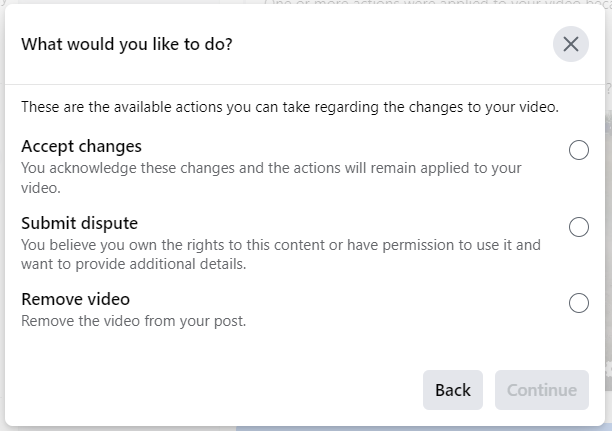
Finally, I get to do something:
Dialog allowing me to choose my next step: accept changes, submit dispute, or remove video.
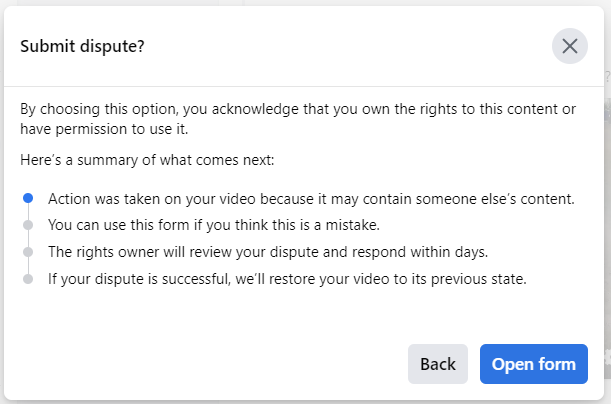
Selecting Submit dispute then Continue brings more perfunctory dialogs:
Perfunctory dialog explaining what it means to dispute a copyright claim.
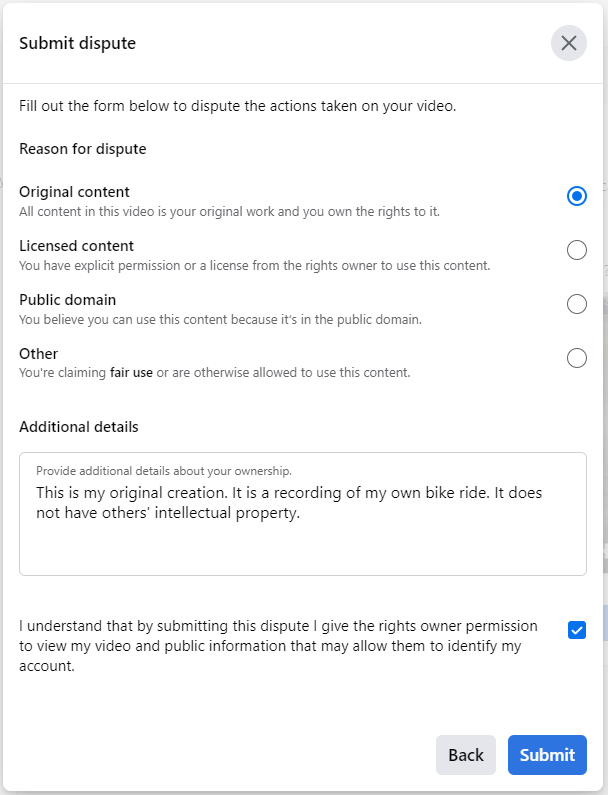
Now I can submit the dispute. I filled out the Submit dispute dialog:
Submit dispute dialog, filled out with relevant information.
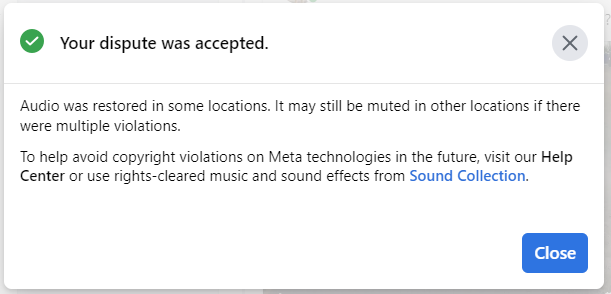
Pressing Submit nearly always brings me to a final dialog, saying that my dispute was accepted and more information that is irrelevant to people uploading their original creation:
Dispute-accepted dialog.
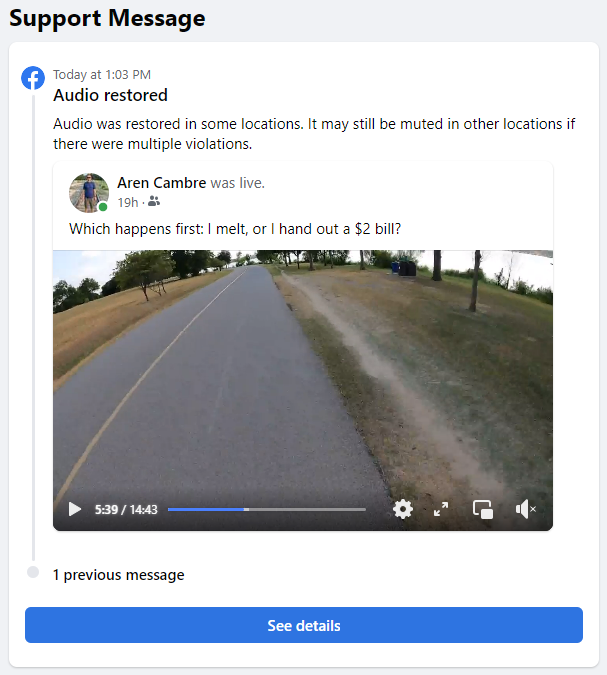
Now the original support message says the audio was restored:
Facebook’s support message changed, now indicating that the audio is restored.
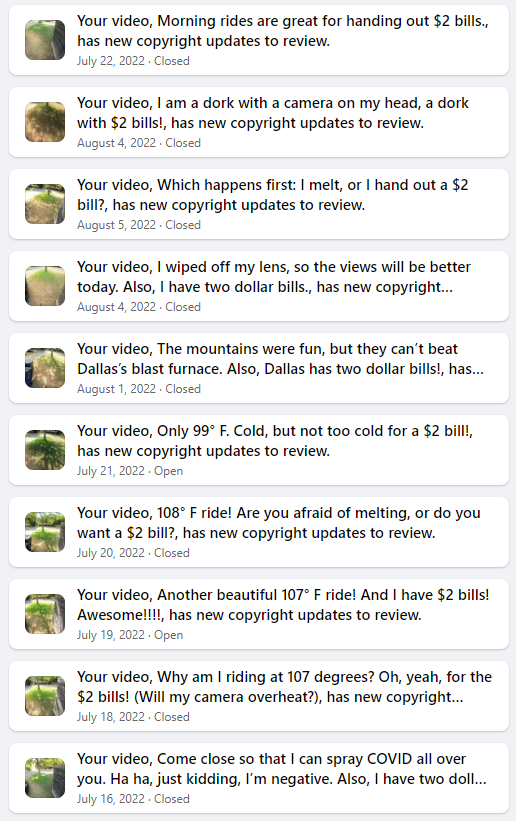
This is not an isolated occurrence. It has been happening since June 28. Here’s a screenshot of my Facebook support inbox:
Sampling of where Facebook aided a copyright thief many times.
This usually works but not always. I am incapable of shoving the thief off of one of my June videos. Every dispute attempt on that video ends in an error:
I always get an error after disputing a particular June video.
Is this an example of Facebook providing even more aid and comfort to intellectual-property thieves?
This experience concerns me on several levels:
Facebook allows thieves to use its system to steal rights to others’ intellectual property.
Facebook does not tell me which part of my original creation is triggering the thief’s false claim.
Facebook does not identify the thief to me.
Facebook’s interface appears to be designed to assist the thieves, using error messages to thwart intellectual-property owners.
At what point will Facebook suspend my account due to too many intellectual-property issues?
Here’s the same video, on YouTube (no fake copyright violations!):
The video where Facebook lets a thief steal my intellectual property. Also, this is more than 2 minutes longer than Facebook’s video. I haven’t analyzed why.
I challenge you to spot a copyright violation in it.
Technical notes that may be inconsequential:
The video that Facebook sees is the broadcasted video, which is what the GoPro sends to Facebook through my phone’s hotspot. The above YouTube video is straight off the GoPro’s SD card. Having artifacts of running through a hotspot with variable speed, such as occasional skips or glitches, the broadcasted video will be lower quality than the SD-card-sourced YouTube video.
My videos are usually much longer. The one that is the subject of this post is short because the camera turned itself off during my ride. That happens once or twice a month in hot weather, possibly due to overheating. The battery was at 77% when I restarted the camera.
On occasion, when I ride by someone who has a speaker going, my video may pick up a brief recording of whatever music is playing. This is again unusual and is a brief recording further harmed by a lot of wind noise. These possible incidental recordings have never before triggered a copyright notice, so I don’t think they explain this issue. I once inadvertently included an incidental recording into another video–not bike-ride related–and I remember Facebook identifying the copyright holder, unlike what happens in this incident.
By declining to set the record straight, Apache is misinforming a lot of users, as the OpenOffice brand appears to have parity with LibreOffice:
Apache needs to declare OpenOffice dead, focus attention elsewhere, and redirect people to LibreOffice. Why is Apache not doing this?
P.S., Yes, I know, OpenOffice is not technically “dead”. Some users still cling to it for legacy reasons, and there could be a case for some maintenance releases. That doesn’t excuse Apache’s refusal to acknowledge reality, which is certainly misleading users.
I hate cold sales calls or emails. All of these end up on a block list. If I want your service, I’ll initiate the contact.
Skype for Business lacks a native call-blocking functionality. Here’s a workaround, if you also use Outlook.
How to block spam callers
Follow these steps:
Open Outlook.
Create a new contact and fill in these fields:
Full Name: Blocked Contact (xxx-xxx-xxxx) where xxx-xxx-xxxx is the phone number of the spam caller. That format is my preference, not a strict requirement. It’s also fine to use (xxx) xxx-xxxx, although that format has little meaning anymore since the area code is never optional when dialing numbers.
Email: blockedxxx@fake.com where xxx is a unique number. I simply increment that number from the prior-spam-caller’s contact card.
Business (in the Phone numbers section): xxx-xxx-xxxx, which is the phone number of the spam caller.
Hit the contact’s Save & Close button.
If you get a Duplicate Contact Detected dialog, it’s because crude Outlook functionality suspects this contact may duplicate another one. It may happen because the name and email address data on each blocked-caller contact is similar. Select Add new contact, then press Update.
Open Skype for Business.
Search on the phone number of the blocked caller.
You’ll get two results: the phone number itself and the Outlook contact, named Blocked Contact (xxx-xxx-xxxx). Right-click on the Outlook contact (again, the one named Blocked Contact) and select Change Privacy Relationship > Blocked Contacts.
Now the caller will usually be sent directly to your voice mail!
Why “usually”? On occasion, Skype for Business takes a few seconds to associate an incoming call with a blocked contact, so you may get some rings before the caller is sent to voice mail.
The “death of email” fad is over a decade old. It is wrong. Email is still key to marketing and communications (marcom).
“Death of email” supposes people move to other platforms. The “other platforms” part isn’t wrong. Social media platforms barely existed a decade ago, and now they are widely used. The “move” part is what’s wrong.
Email is effective
Email’s first strength: it reaches more people than any other platform.
If you search on this, two facts emerge:
Email is by far the #1 tool, measured by percent of people using it.
The pandemic has significantly increased email utilization.
Effective email communications should be a marcom starting point.
Other platforms
Email’s other strength: it’s a single platform.
Think about social media: some are on Facebook, some are on Twitter, some are on Instagram, some are on other platforms. Effective marcom on social media requires you to cross-post to several platforms. That’s a chore!
Other platforms can be secondary
For all important communications, email should be primary. That means what you need to communicate, or a link to this information, must be in an email. Other platforms must be secondary.
Want to also convey information over Twitter, Facebook, Snapchat, etc.? Go for it! Just be consistent and thorough with what you do. If a social media platform’s users become satisfied with communications over it, they may pay less attention to emails.
Exceptions
Targeted or non-important communications? Do what makes most sense. A geofenced communication to find prospects may make sense exclusively on social media.
What about communities that are simply part of a social-media platform, such as Facebook groups? In that case, using social media as the primary or even exclusive communications tools could make sense.
Finally, your organization may have a practice of using selected platforms for communications. For communicating with affiliates, exclusive use of the selected platforms could be fine. This assumes enough of your affiliates are willing to watch for information on that platform.
Summary
Email is the dominant communication platform. Allegations of change have been hoaxes.
For typical marketing and communications, email-first should be the rule. If it’s important, it must be in an email. Other platforms are generally best for complementing emails.